
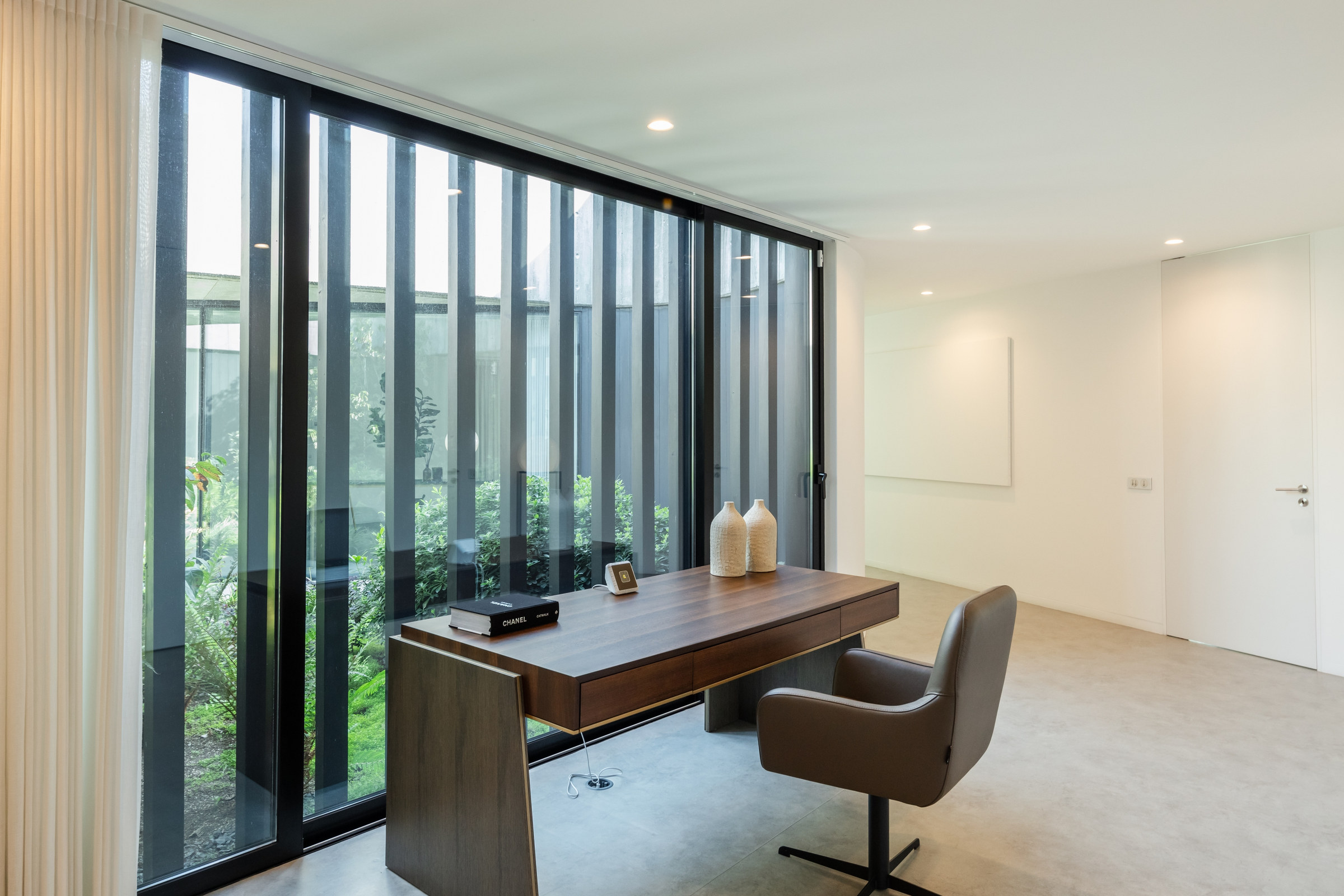
Float the Desk When the Room Has Space
A desk does not always need a wall behind it. In this room, the broad wood-toned top sits in front of a full-height glazed wall, and the open floor gives the chair its own place. The desk reads as furniture from more than one side, rather than as a strip of storage along a perimeter.
This arrangement suits a dedicated office where the desk is important enough to set the room’s circulation. Plan for the chair to move back without catching a doorway or walk-through path. A freestanding desk also brings a practical question that wall-backed versions hide: how will power reach the laptop, display, or lamp without a cable across the floor?
Glass brings daylight into this office, but a screen near the window may catch reflections. Test the chair position with your actual display at the hours you work. The trestle desk below solves a different problem: keeping a long work surface visually light.
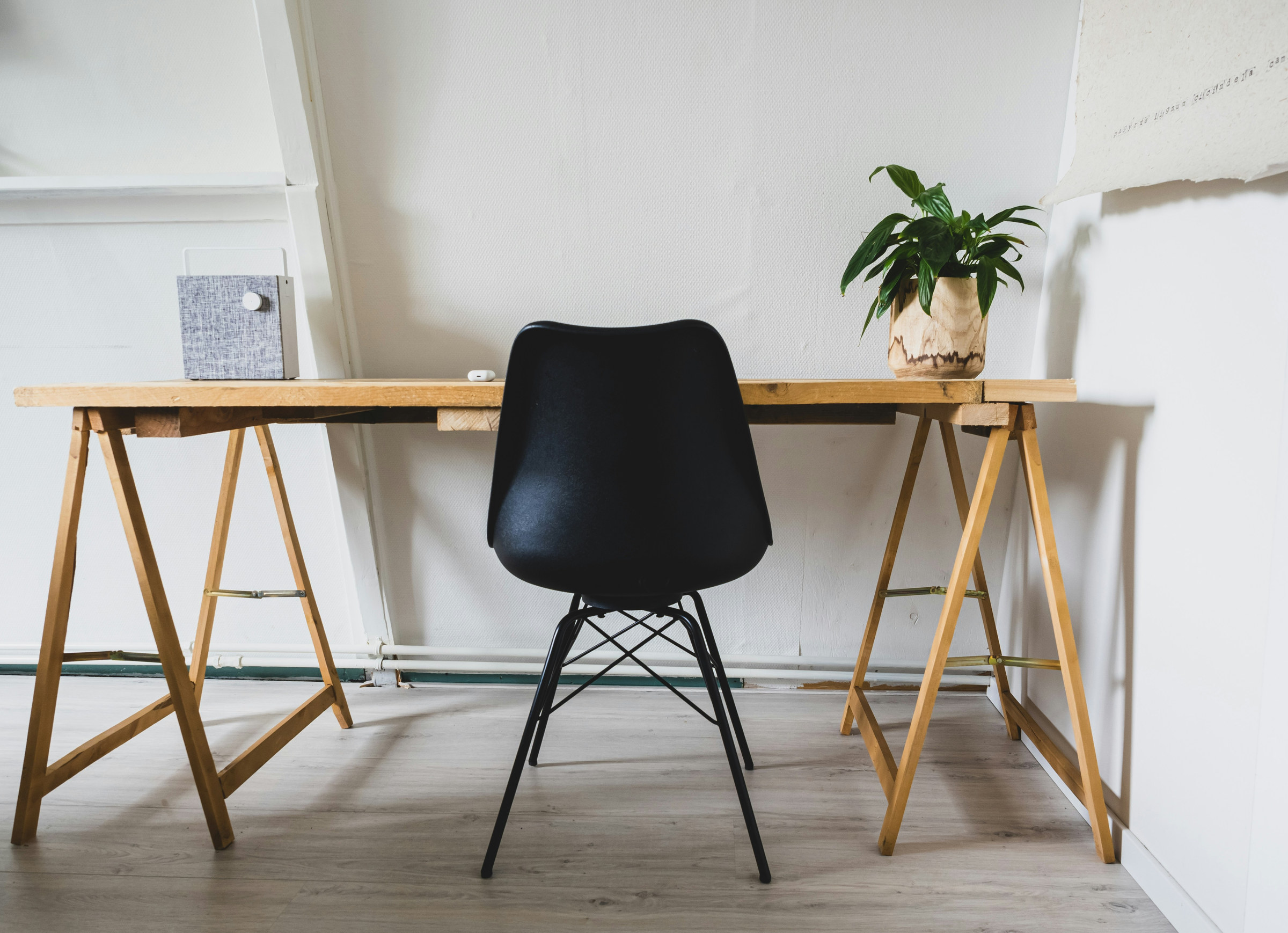
Use Trestle Legs to Keep the Room Open
Two simple sawhorse-style supports carry this long, light-toned top. With no solid pedestals below, the desk looks closer to a worktable than a piece of corporate office furniture. That is useful in a room where you see your work area from a sofa or a dining table.
Choose this form for a generous surface without a solid storage pedestal. A laptop, a notebook, and occasional paperwork fit the uncluttered character. With heavier displays, check the top’s rigidity, the spread of the supports, clear space for your knees, and the manufacturer’s load rating. A trestle outline alone says little about stability.
Compare the exposed supports with the frame of a sit-stand desk later in this guide. Both leave open space underneath, but one is chosen primarily for the furniture character and the other for changing work height.
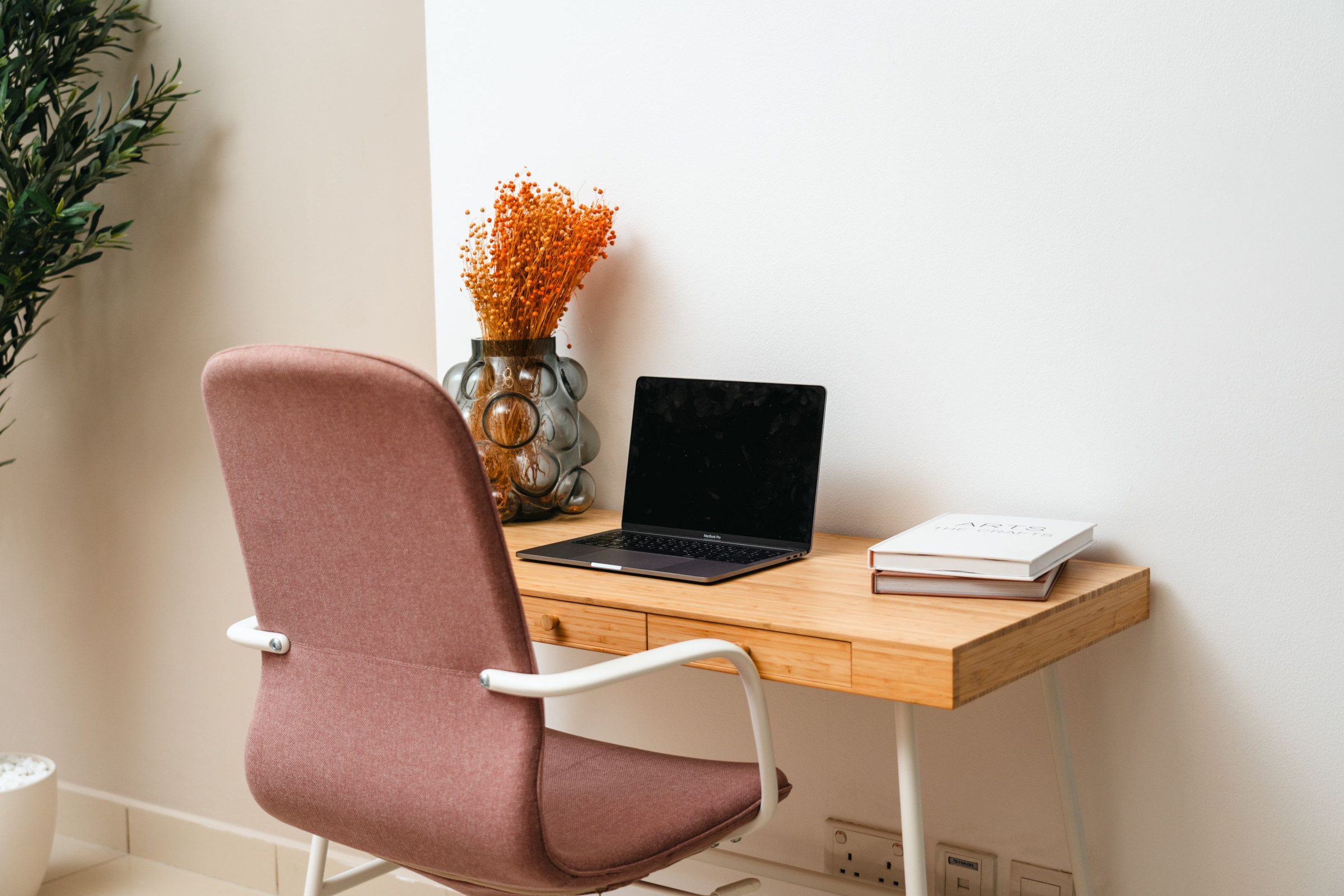
Let a Slim Writing Desk Serve a Laptop-First Routine
The pale wood desk and dusty-rose chair occupy a short stretch of wall. Slim legs are visible below the tabletop, while a laptop, books, and a vase make the surface feel like everyday furniture. This is a useful scale for a bedroom corner or a living area where a desk remains in view after hours.
A narrow writing desk suits writing, household admin, or a laptop-led routine. It becomes cramped if you regularly need a separate monitor, full keyboard, drawing tablet, and papers spread open together. Before choosing, lay your equipment out on a surface of comparable depth and check both hand room and the seated screen position.
Use the Space Under Stairs Only Where You Can Move
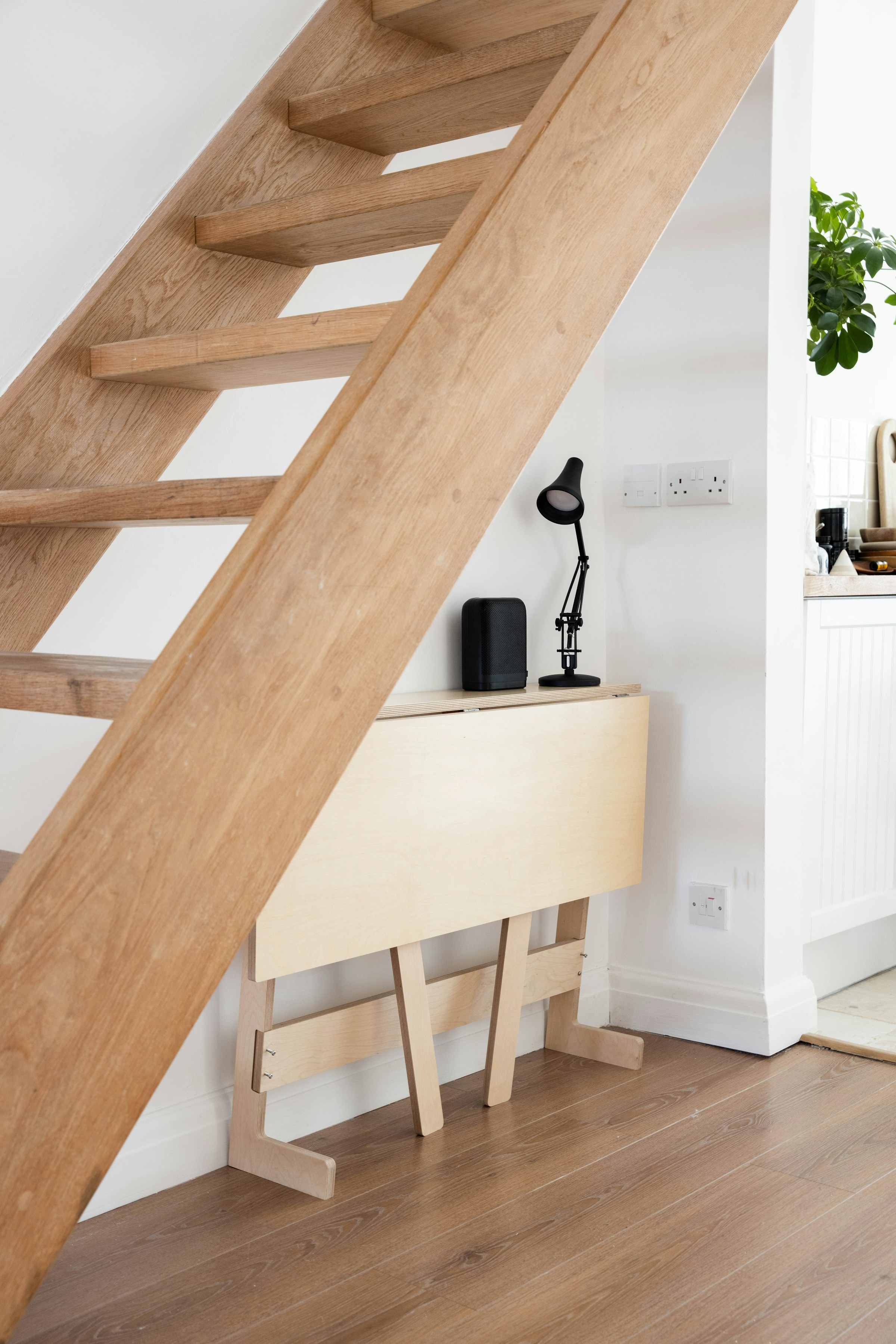
The sloping underside of these wooden stairs frames a compact fold-down desk at the taller end of the space. Its success depends on the path taken by the person using it: the open top may fit neatly while the chair still needs room to move.
Try the entire movement before committing. Sit down, roll or slide the chair back, stand, and follow the usual path past the stairs. If your head or shoulders move into the low underside as soon as you rise, the space needs a different use or a smaller workstation closer to the high end.
Footsteps overhead could distract during calls; a task light and power connection also need a route that does not leave cords across a walkway. This niche is best suited to a small, contained work routine rather than equipment that needs a deep tabletop and wide storage.
Put an Attic Desk Where the Roofline Gives You Height
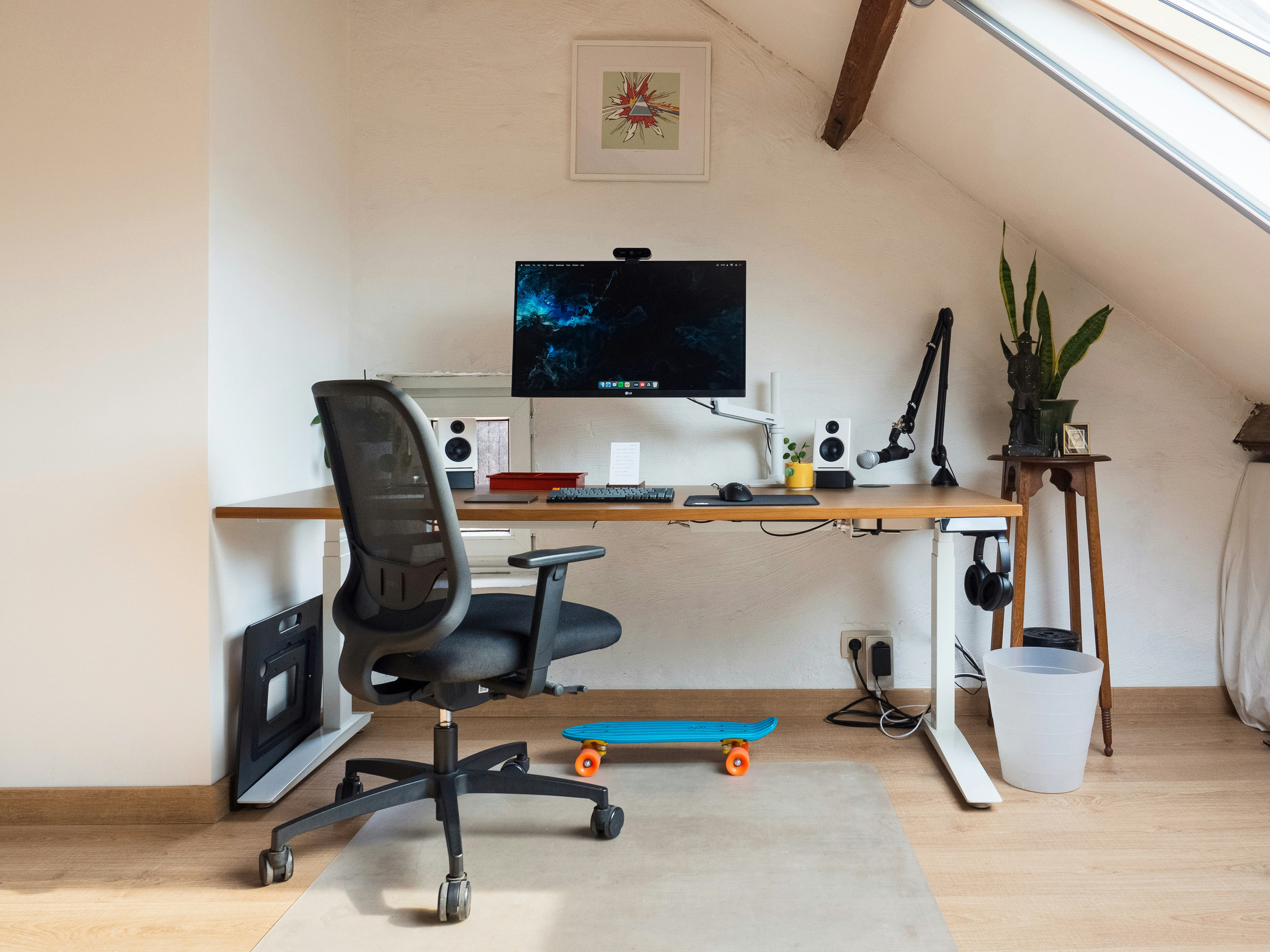
This attic places a screen and chair along a wall beneath the pitched ceiling. The sloping roof makes the room feel distinctive, but it also sets the most important placement limit. The desk can occupy a lower part of the room; the person using it still needs enough height to enter, sit, and stand.
Map that movement first. Position the main chair path toward the taller side, then measure the tabletop and monitor in relation to the roofline. A desk wedged into the lowest eaves might look compact in a photograph while making every trip out of the chair awkward. Avoid blocking the nearby storage and check how the slanted window affects the screen from your actual seated viewpoint.
Use this idea when a loft has a real working-height band along one wall. If the usable band is too narrow, a smaller laptop table may make more sense than a deep monitor workstation.
Choose a Writing Table That Belongs in a Guest Room
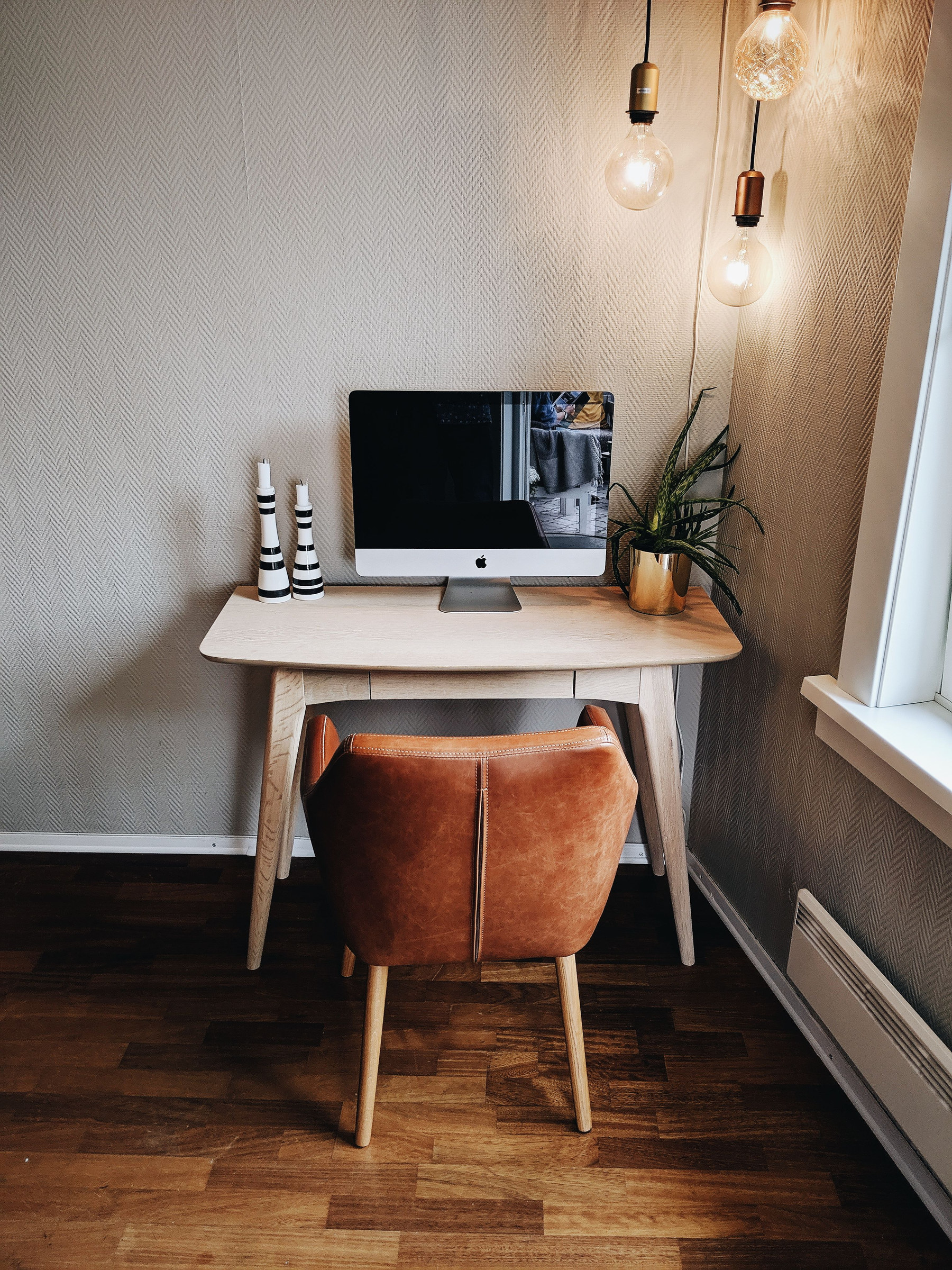
A small pale-wood writing table sits against a textured wall beside a window, with a russet upholstered chair taking almost as much visual attention as the furniture. An all-in-one desktop computer, vases, and a plant fit on the surface without a tall bank of office storage.
For a guest room or shared living space, this desk has an easy, furniture-like presence. Choose the chair for the length of time you will actually sit in it, and check that the table height, knee space, and screen distance work together. A tidy silhouette is no consolation if the chair cannot pull in comfortably.
Compare this single-screen setup with the broader monitor desk later in the guide. Once a separate keyboard, documents, and other devices join the computer, the smaller top may no longer be the useful option.
Put Storage on One Side, Not Under Every Inch
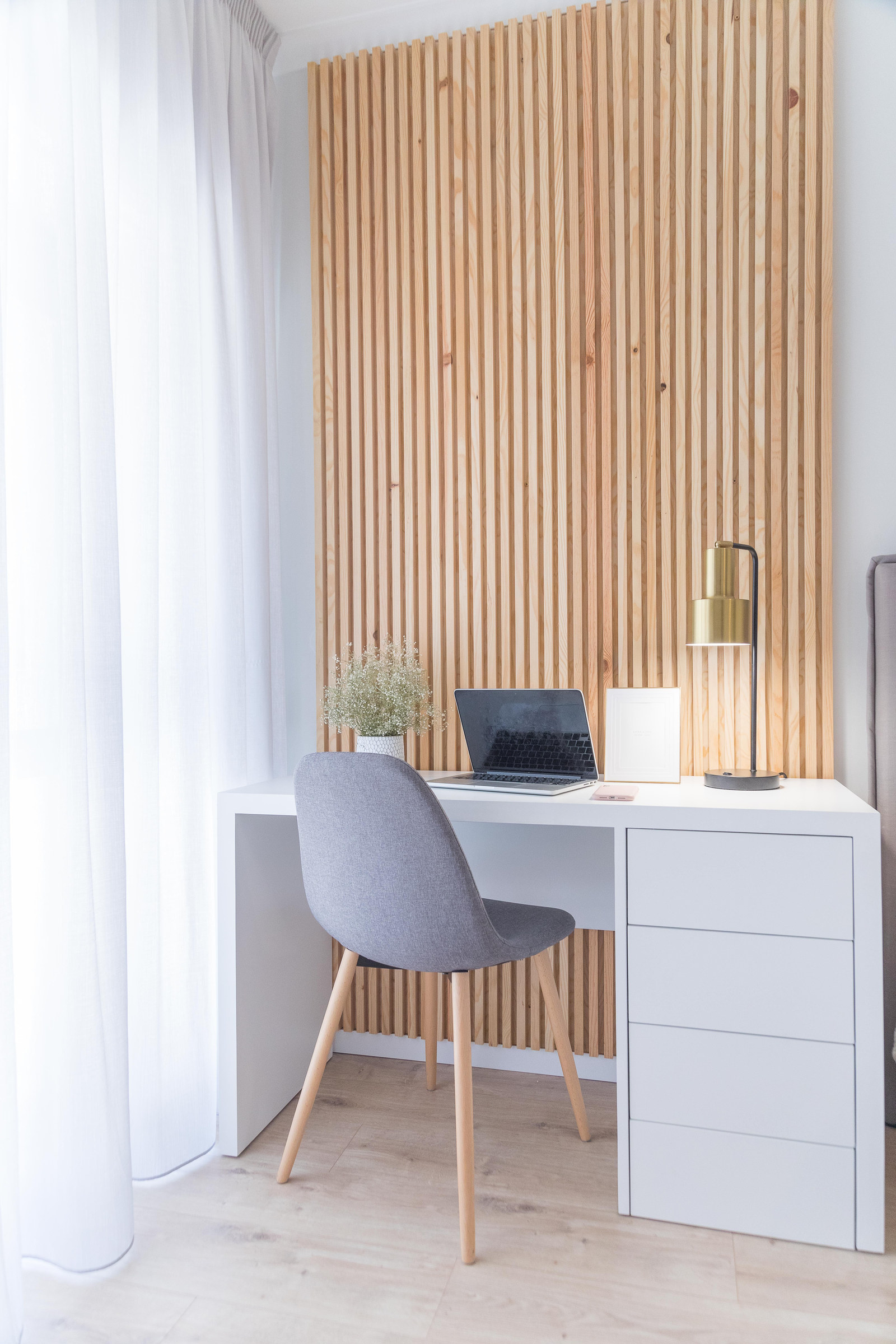
The white desk in this bright room carries its drawers on the right, leaving an obvious open bay for the chair. That asymmetry is the practical idea. Paper, chargers, and frequently used supplies can live in a pedestal without filling the entire span beneath the top.
A side pedestal can give a wall-backed desk a tidy visual anchor, but it also fixes the chair opening. Sit at the desk, check where your feet rest, and pull the chair back far enough to open the drawers. Keep the space under the worktop free of stored objects that restrict your legs, particularly if two people share the desk.
A later freestanding desk shows the alternative: shallow drawers integrated beneath the top, rather than a deep pedestal at one side. The side unit concentrates storage; the integrated drawers leave a lighter silhouette but can reduce thigh space.
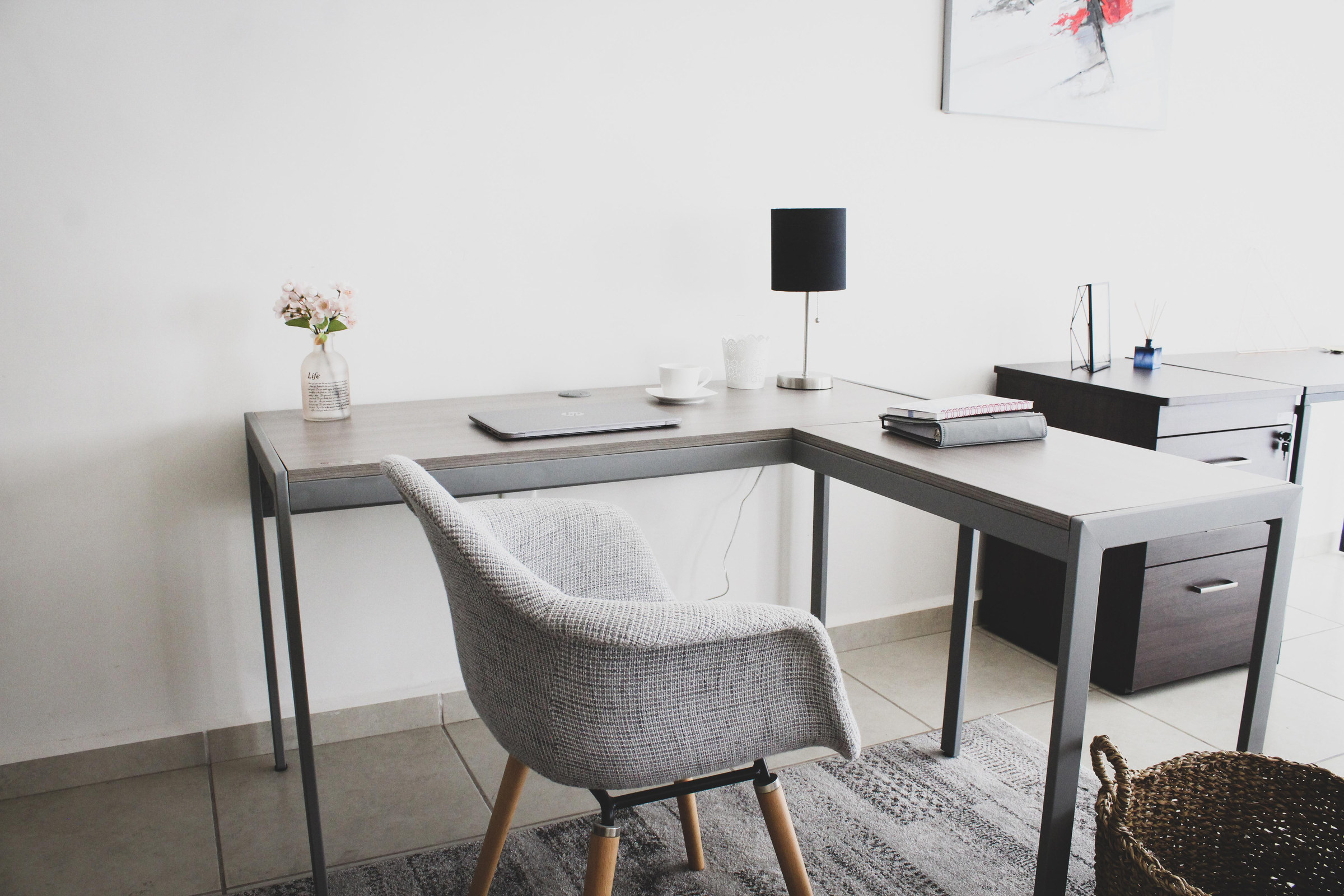
Use an L-Shaped Return to Separate Two Kinds of Work
The two gray desktop runs form an L around this chair. Its value is the second reachable surface: a monitor and keyboard might occupy one run, while drawings, a notebook, or active paperwork stay open on the return.
Choose an L-shaped return when your work genuinely alternates between a screen and physical material. In a small room, the same extra arm can interrupt the simplest route past the chair. Check the swivel path, reach to the corner, and leg supports on both sides before committing to the footprint.
The corner can also give a large monitor room to sit farther back. Place your actual screen at the intended angle and check the viewing distance and keyboard reach from the chair, not just the desk’s overall width.
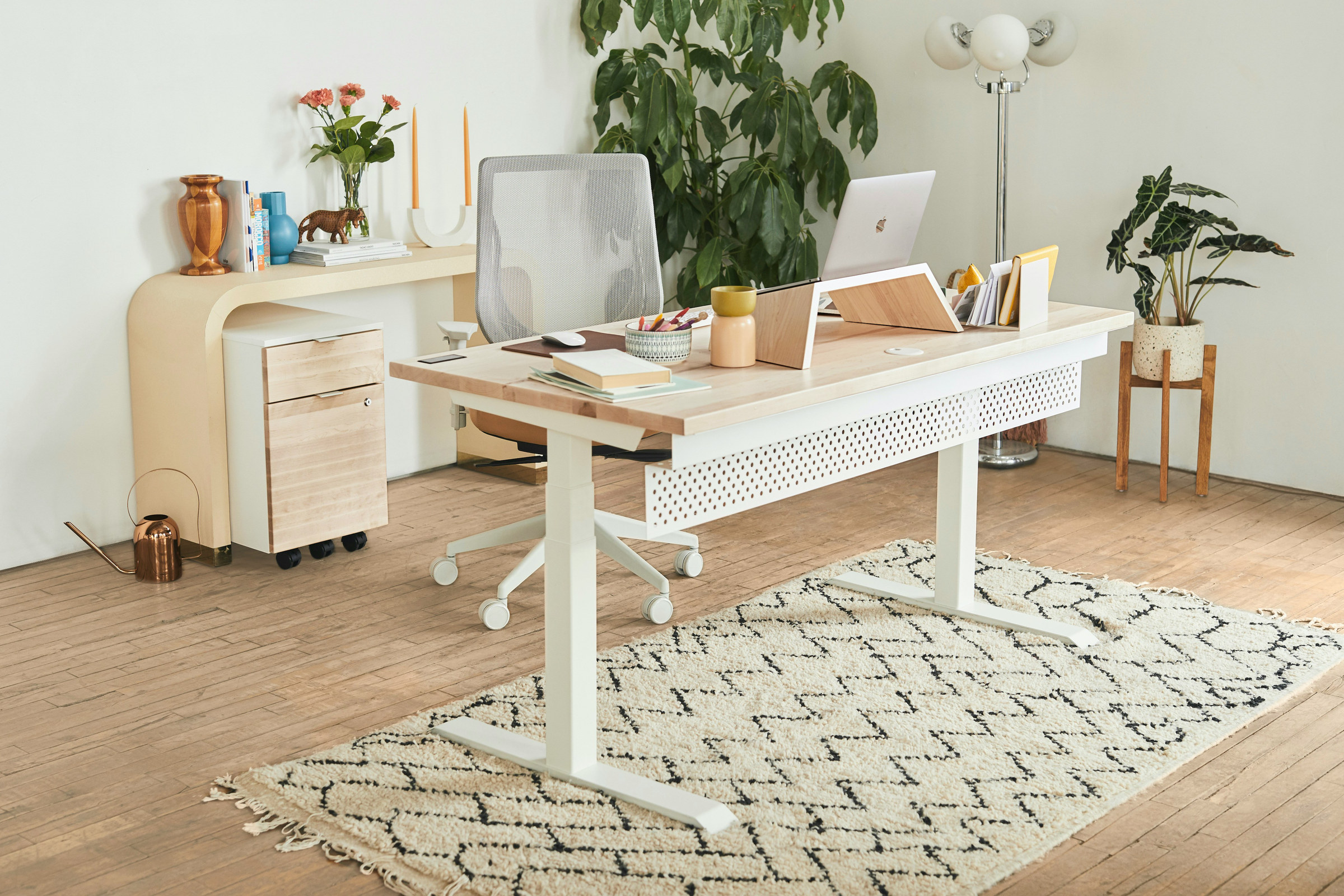
Consider a Height-Adjustable Frame for a Desk You Use All Day
A pale worktop rests on a T-leg base among plants and light-colored furnishings. The shape suits the look of a sit-stand desk without introducing a bulky pedestal. It is the functional counterpoint to the slender wooden trestle desk above.
For a desk you use all day, a model with verified height adjustment deserves consideration alongside surface size. Check its listed height range, stability at the highest setting, load capacity, and controls before buying; the look of the base alone does not establish those specifications.
Arrange the screen, keyboard, and chair together at the heights you expect to use. The equipment should remain within comfortable reach whether the desk is set for sitting or standing.
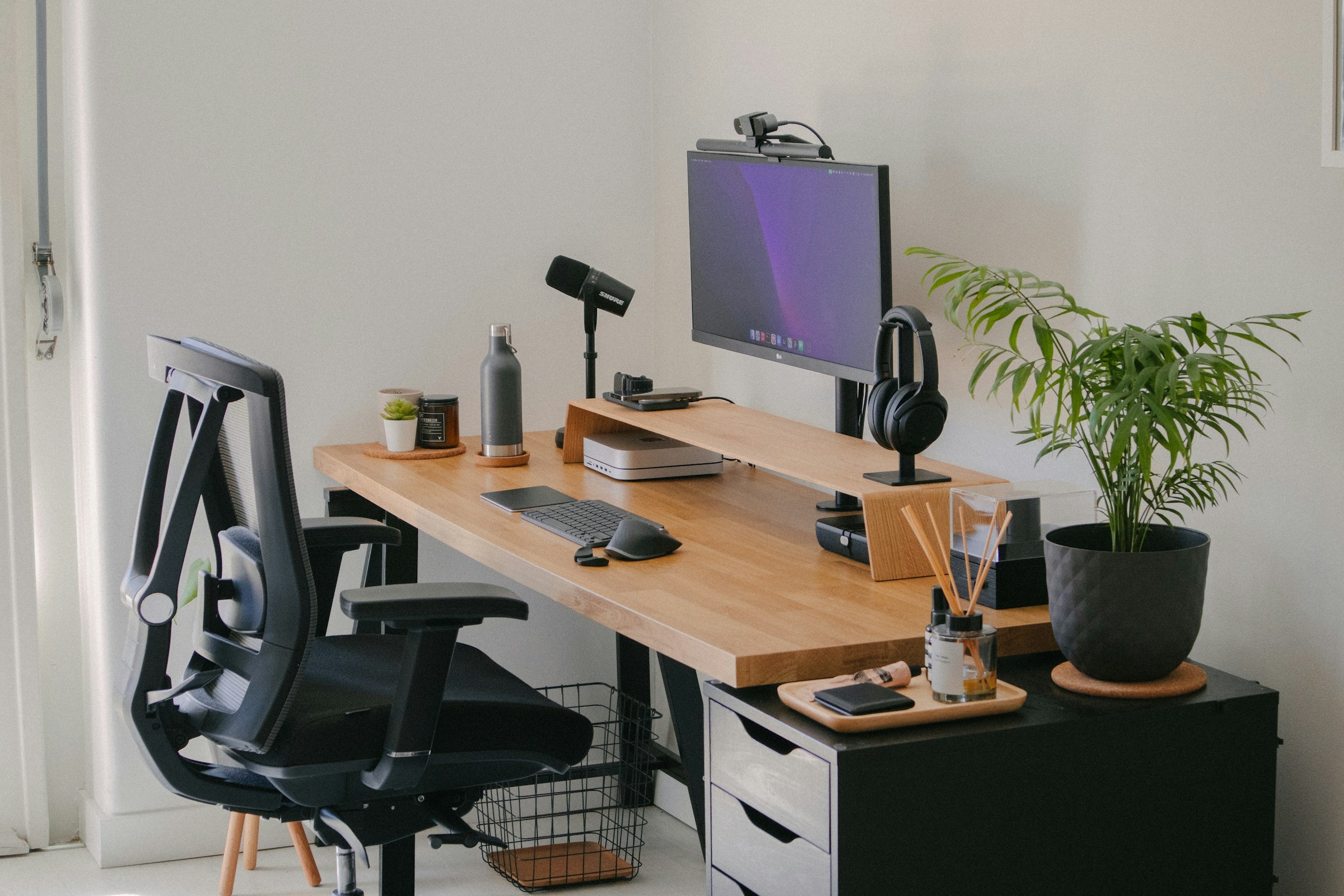
Give Your Monitor the Depth a Writing Desk Cannot
A large monitor, keyboard, small accessories, and accessories have separate positions on this broad wood-toned top. Unlike the slim laptop desk paired with a dusty-rose chair earlier, this workstation makes depth and equipment room central to the choice.
For a dedicated monitor setup, begin with the viewing position, not the overall width of the furniture. The OSHA computer workstation guidance notes a generally preferred eye-to-screen distance of 20–40 inches (50–100 cm), depending on comfort and screen, with the monitor directly ahead and its top at or a little below eye level. That is a viewing distance, not a universal required desk depth; a stand, arm, wall clearance, and keyboard position all affect the top you need. OSHA source
Set out your actual monitor, keyboard, and pointing device at the proposed depth. Extra desk width will not help if the screen is uncomfortably close or the mouse sits too far beyond your hand.
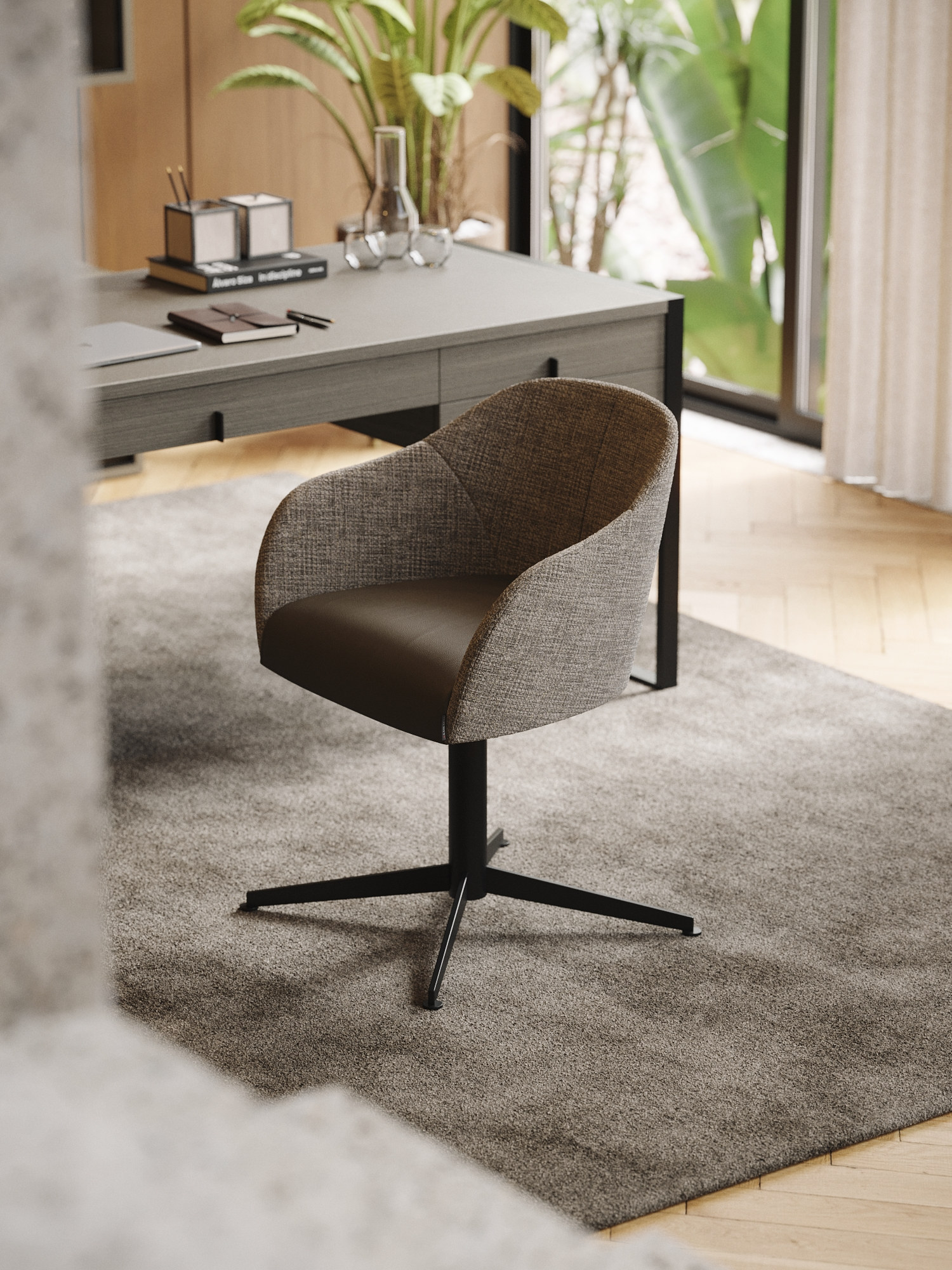
Choose Integrated Drawers for a More Furniture-Like Desk
This taupe-gray desk has shallow drawer fronts built into the underside of a substantial top. A rounded upholstered chair sits in front, while the slim dark legs and surrounding open floor give the piece a freestanding furniture character. Its storage arrangement differs from the white desk with a full side pedestal.
Shallow integrated drawers hold stationery and papers without adding another cabinet. The tradeoff is leg space below the top. As a useful workstation reference, OSHA describes under-desk clearance of at least 20 inches (52 cm) in width and 17 inches (44 cm) at knee depth for a broad range of seated users; this is ergonomic guidance, not a substitute for checking the actual user and chair. A center drawer that presses against the thighs is a poor fit. OSHA source
The pedestal desk leaves one open bay for the chair and moves storage to one side. Drawers under the center of a freestanding desk spread storage across the top but occupy some of the room your legs need. Choose by what you store and where you must sit.

Give a Tech-Heavy Desk Its Own Wall
A monitor and keyboard sit against a wall with bold graphic artwork. The white chair and wood-toned worktop give this technology-centered station a clear, residential contrast.
This arrangement suits a computer that stays in place. A continuous wall can hold a screen and selected accessories without spreading the workstation across a shared room. Set the monitor and desktop first; then place artwork or useful wall accessories where they leave the screen clear. Use fixings appropriate to the wall material and load.
The main decision is where the technology belongs. Here, one dedicated wall gives the desk a defined background; artwork and cable storage can follow the equipment layout instead of determining it.
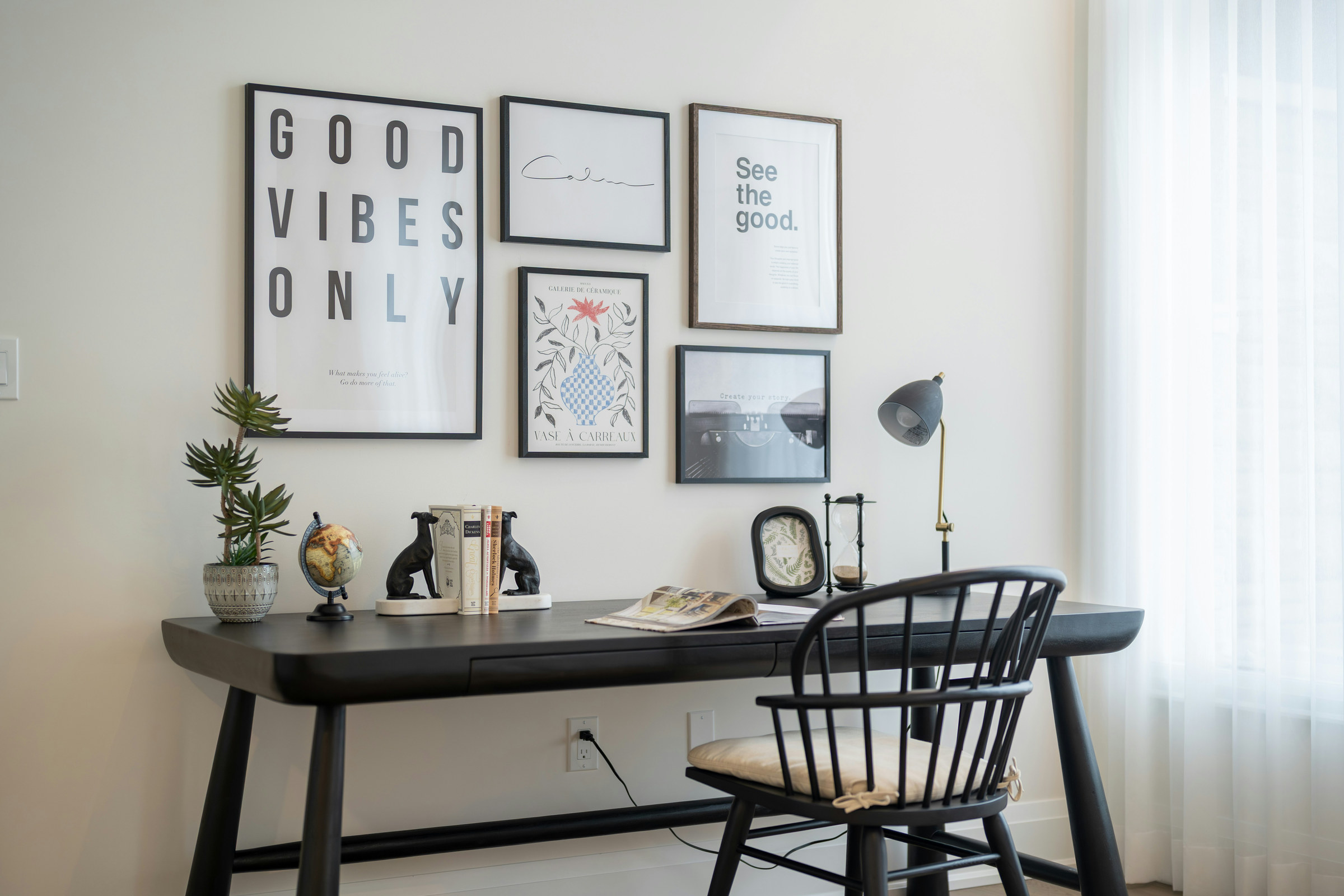
Let a Black Desk Echo the Art Above It
This slim black desk aligns with a gallery of framed pieces, while a dark spindle-back chair repeats the color at seat level. The artwork fills the wall without adding furniture around the top. Near the window, the desk feels part of a lived-in room rather than a formal office suite.
A black writing desk is worth considering when dark frames, shelving, or hardware already give the room a graphic thread. Repeat the color once or twice rather than furnishing the entire corner in black. That keeps the artwork and greenery visible and makes the workstation feel deliberate in a shared room.
A window to the side can be a useful position for a monitor, and OSHA recommends placing the screen at right angles to a window to reduce glare. Test the angle from the chair as sunlight changes, especially if a glossy screen will sit on the black surface. OSHA source
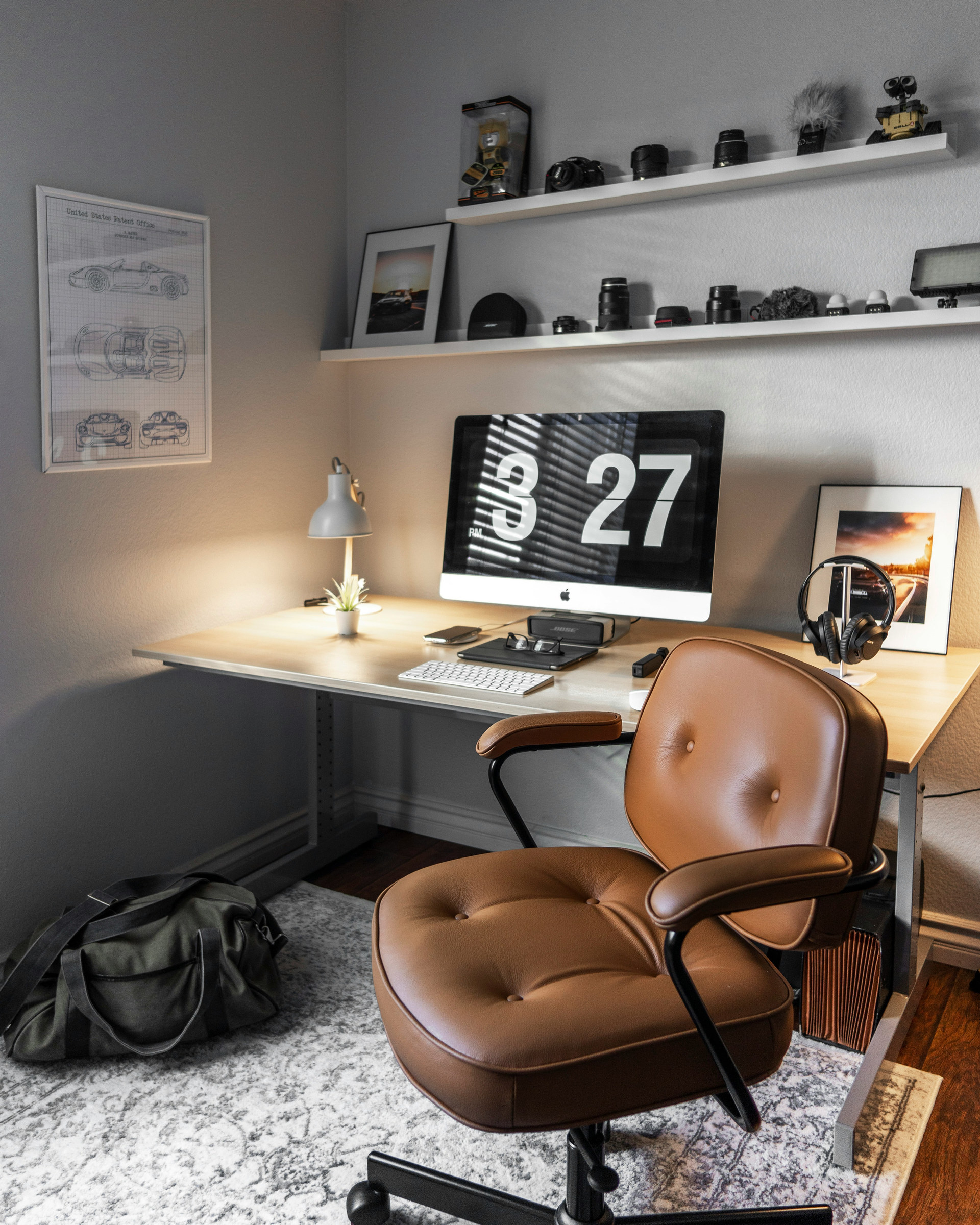
Surround a Computer Desk With Warmth, Not Clutter
An all-in-one computer stands on a pale desk below two white display shelves. A small desk lamp illuminates the left side, and a brown upholstered swivel chair warms the otherwise neutral corner. Cameras and small objects stay above the work surface, leaving space for the keyboard.
For a permanent computer station in a bedroom or living room, use wall shelves for the things that would otherwise drift onto the desktop. The soft brown chair and dark floor make the pale desk less stark; the lamp gives the corner a point of warm light.
When placing a lamp beside a monitor, direct its beam toward paper tasks and away from the screen. The goal is useful light without a new reflection across the display.
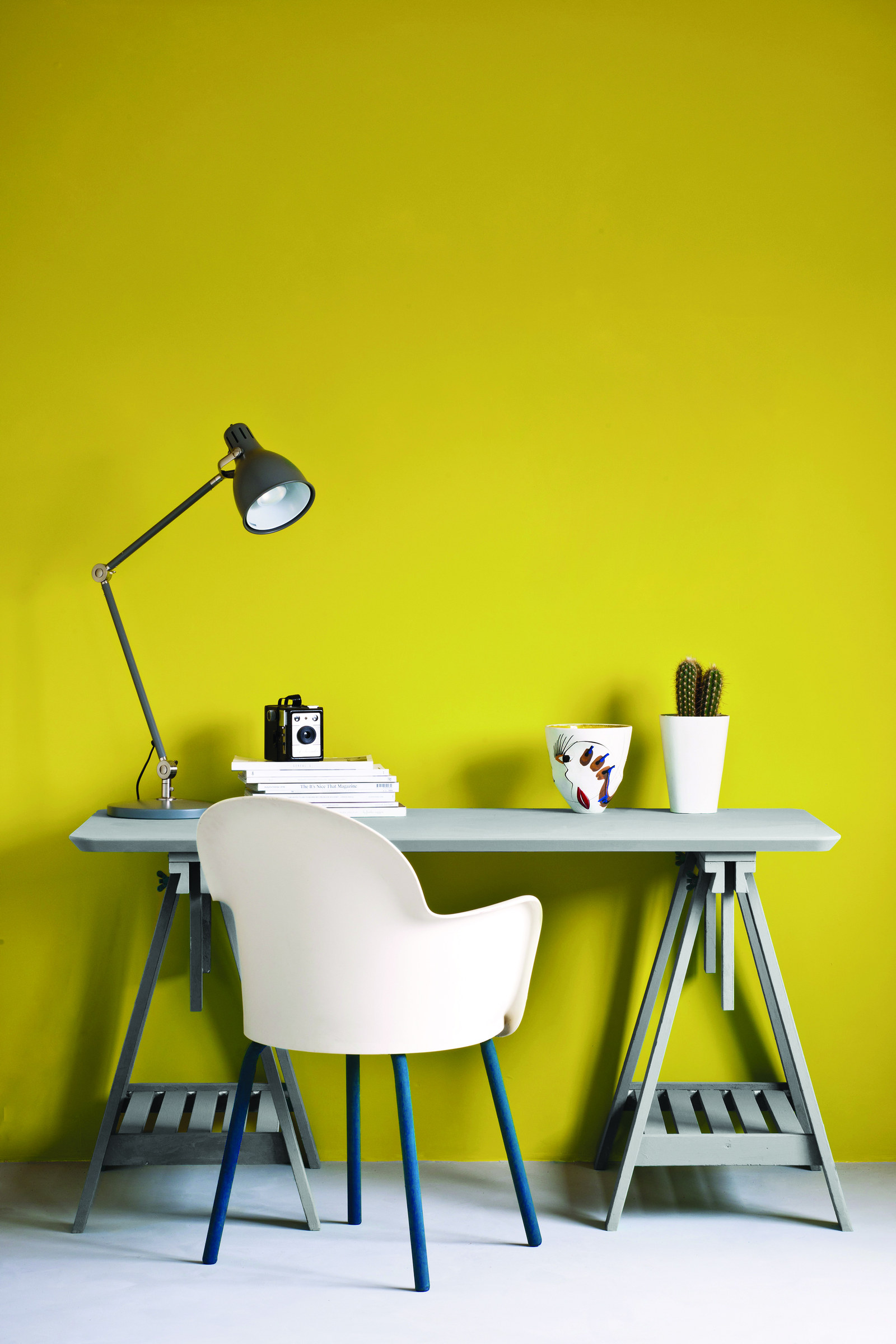
Use a Strong Wall Color to Claim a Small Work Corner
A pale gray trestle desk and a white chair stand against a saturated yellow-green wall. The compact furniture is simple; the wall color gives the work corner its character and makes it visible from across the room.
A bold backdrop works when the desk should read as a deliberate feature, even if the tabletop itself is small. The Annie Sloan archive titles this photograph with Chicago Grey and English Yellow; the exact product-to-surface assignment should not be inferred from the image alone. The painted trestle supports also show how different this example feels from the unpainted wood trestle desk earlier.
View a physical paint sample at different times of day before committing to such a saturated background. The next example takes a quieter path: a dark gray desk set against pale paneled walls.
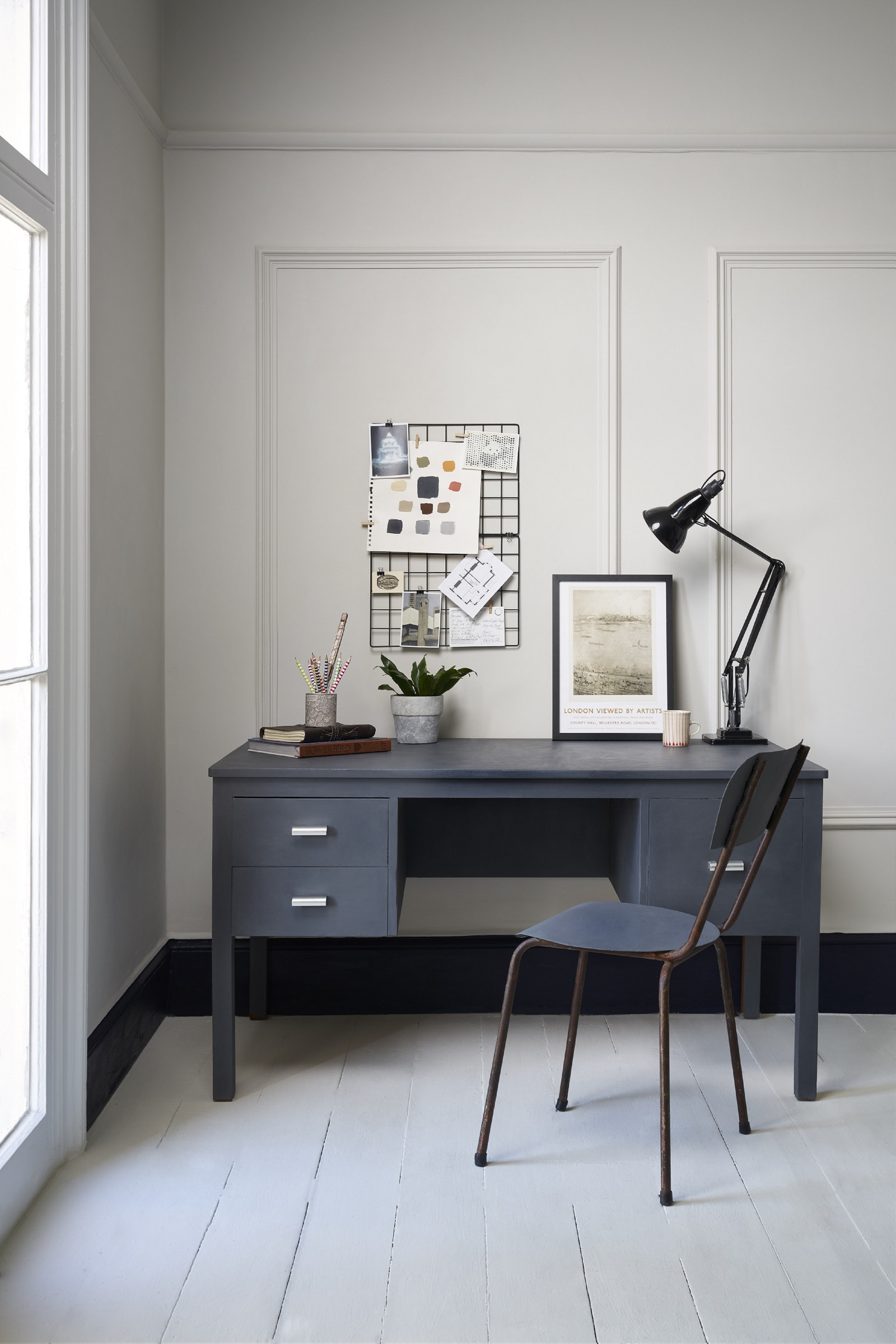
Pair a Deep Gray Desk With Pale Paneling for a Quieter Effect
A deep gray desk with drawers on the left stands against pale wall paneling, with a black task lamp and slim dark chair. The desk is clearly darker than its background, but the limited gray-and-white palette keeps this small work spot subdued.
Choose this approach where a vivid accent wall would compete with a guest room or traditional interior. The contrast between the desk and pale paneling is enough to define the work area; extra color is not required. Annie Sloan catalogs this image under the name Whistler Grey, without establishing which visible surface carries that exact paint.
Compared with the yellow-green wall and pale trestle desk, this is the reserved option. Use strong wall color to announce the workstation; choose a muted desk and paneled backdrop when the corner should live more quietly with the room.